Command
Crew coordination
Set shared priorities, draw useful routes, and put drones and map information to work.
What you do
Section titled “What you do”Command keeps the crew looking at the same priorities. Draw route lines, mark objects for specific stations, inspect contacts, and put available drones or gathered resources to work. A useful mark is short, timely, and easy for its receiving station to act on.
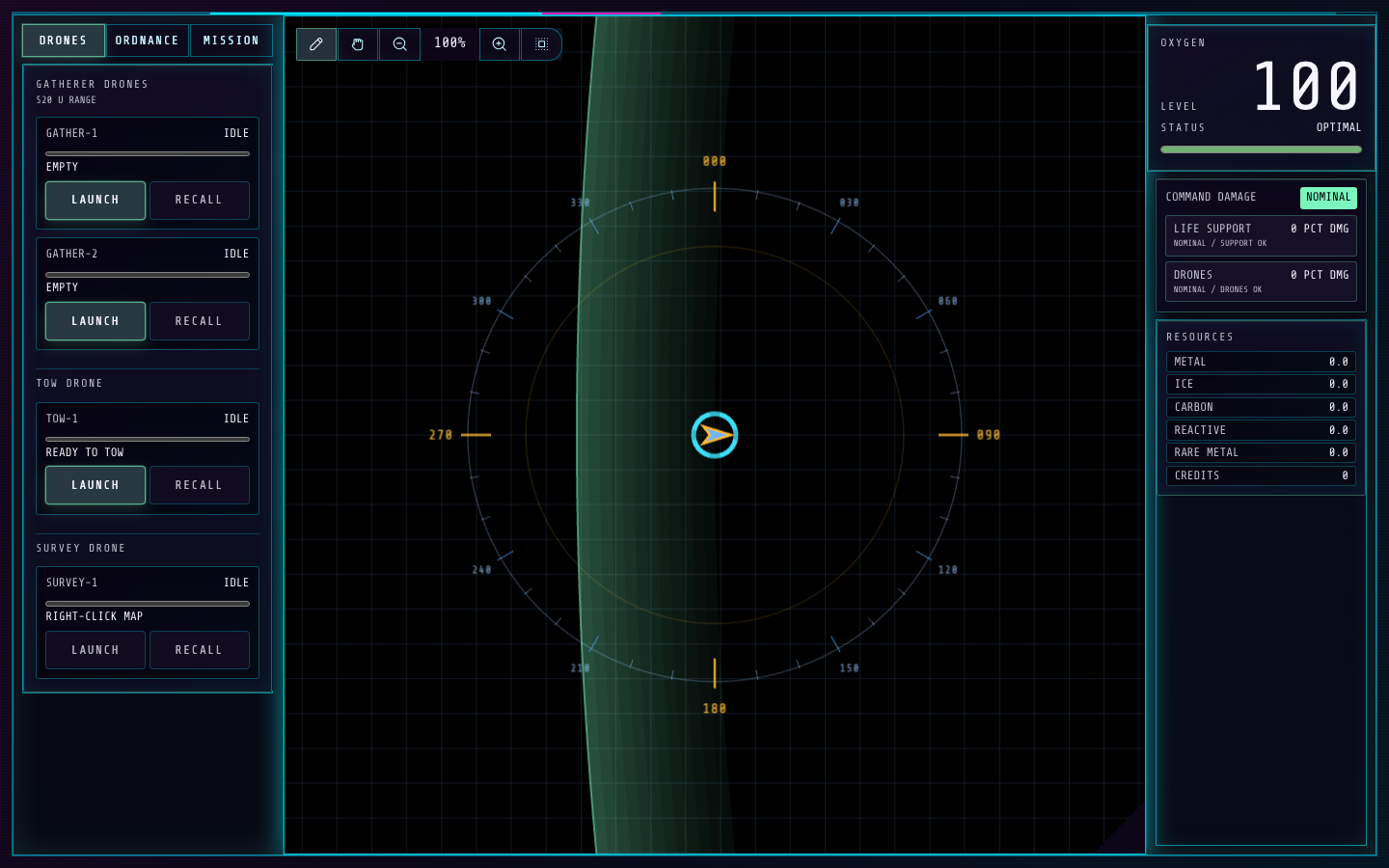
- The tactical table is where Command plots routes and places station-directed markers.
- The left controls switch between drone and resource work areas.
How to control it
Section titled “How to control it”- In Plot mode, left-drag on the tactical map to draw a route line. Click an existing line to remove it. In Pan mode, left-drag moves the view; right-drag pans in either mode. Mouse wheel zooms, and Center restores the ship-centered view.
- Right-click a supported object to open its menu. Publish a marker for Flight, Defense, Intelligence, or Weapons; a hostile ship can also offer a local hail action. Keep old markers and routes cleared when priorities change.
- Use the drone controls to launch or recall unlocked drones. The build panel can queue missiles and mines from resources when the corresponding crafting upgrade and Weapons rack are installed.
| Action | Default key |
|---|---|
| Map zoom in | + |
| Map zoom out | − |
| Center map | 0 |
| Cycle left tab | R |
| Toggle map tool | T |
| Clear priority | , |
| Launch drone 1 | A |
| Recall drone 1 | Shift + A |
| Launch drone 2 | S |
| Recall drone 2 | Shift + S |
| Launch drone 3 | D |
| Recall drone 3 | Shift + D |
| Launch survey drone | F |
| Recall survey drone | Shift + F |
| Increase standard build | Z |
| Decrease standard build | Shift + Z |
| Increase tracking build | X |
| Decrease tracking build | Shift + X |
| Increase heavy build | C |
| Decrease heavy build | Shift + C |
| Increase breacher build | V |
| Decrease breacher build | Shift + V |
| Increase blast field build | B |
| Decrease blast field build | Shift + B |
| Increase disruptor build | N |
| Decrease disruptor build | Shift + N |
| Build selected ordnance rows | Enter |
Key systems
Section titled “Key systems”Gatherer Drones harvest asteroids, Tow Drone moves a towable object, and Survey Drone extends scan coverage from its deployed position. Command map notations are shared with the receiving station. The number of actions available depends on ship upgrades and the current objects on the map.
Upgrades
Section titled “Upgrades”Gatherer Drones
100 creditsUnlocks Gatherer Drones that harvest resources from asteroids.
Use it: Assign a clear asteroid and monitor the drone lane before redeploying.
Tow Drone
450 creditsUnlocks a drone that can tow an asteroid or other towable object.
Use it: Choose a safe tow target and keep its path clear of the ship.
Survey Drone
900 creditsUnlocks a deployable drone that extends scan checks from its position.
Use it: Send it where the ship cannot safely inspect, then recall it when done.
Missile Crafting
1,500 creditsUnlocks missile production from gathered resources when a missile rack is installed.
Use it: Match the build queue to the Weapons station's selected missile needs.
Requires Missile Rack
Mine Crafting
1,000 creditsUnlocks mine production from gathered resources when a mine layer is installed.
Use it: Replenish the mine type the crew expects to deploy next.
Requires Mine Layer
Map Notations
500 creditsUnlocks shared route lines, priorities, and station-directed map markers.
Use it: Keep marks current; remove stale routes so the crew sees the active intent.
Useful habits
Section titled “Useful habits”- Draw the next useful route segment, not a maze of competing lines. Flight needs one clear intent at a time.
- Place markers on the object the receiving station should inspect or attack, and remove them when the call is stale.
- Watch drone lane status before sending another task; recall a drone when its work is complete.
Station challenge: Priority Relay Drill
Section titled “Station challenge: Priority Relay Drill”The ship starts stationary with five marked points of interest across the map. Draw route lines to guide it through them; the ship clears a point when it gets close enough. Hostiles become active as the ship enters their range. In this challenge, Command markers for Weapons can trigger helper beam fire when a target is in range and arc, and Intelligence markers can trigger a helper hack. Flight and Defense markers remain coordination practice. The run ends after all five points clear. Score is based on time, with a small penalty for shield damage and a larger one for hull damage.
Practice goal: keep the route simple, mark the right threat for help, and avoid sending the ship through unnecessary damage.